
Function and Compatibility
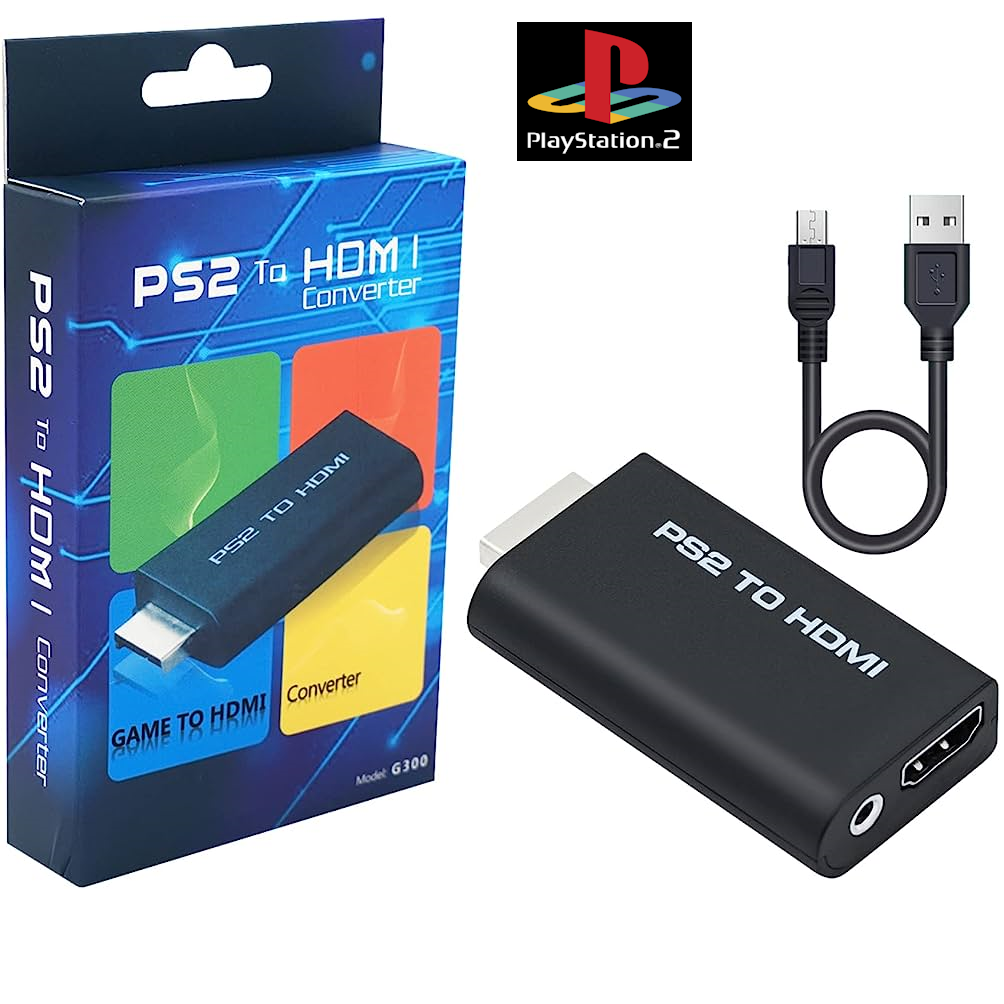
The PS2 to HDMI Converter is a specific-purpose adapter designed to translate the analog video and audio signals from a PlayStation 2 console into a digital HDMI format . It connects directly to the console’s AV Multi Out port and outputs to a television or monitor via a standard HDMI cable. While some listings may claim compatibility with PS1 and PS3, support for these consoles is not guaranteed and is generally considered unreliable . The adapter is USB-powered, typically drawing power from one of the PS2’s USB ports or a standard 5V USB power source .
Video Signal and Output Modes
The adapter natively supports the PS2’s standard display modes, including 480i, 480p, and 576i . It is designed to convert the YPbPr/YCbCr (component video) signal to HDMI . This is a critical limitation; the adapter will not work if the PS2 is set to output RGB. If the console is set to RGB, the display will show “Out of Range” or a black screen . To use this adapter, navigate to the PS2’s system configuration menu and set the Component Video Out option to Y Cb/Pb Cr/Pr . The adapter is purely a signal converter; it will not upscale or enhance the image quality beyond the console’s original output .
Design and Connectivity
The adapter features a simple, compact design that plugs directly into the PS2’s AV port. Most models include an HDMI output port for connection to the display and a 3.5mm stereo audio jack for independent audio output to headphones or speakers . A USB cable is included for power, making the setup cable-free and convenient .
| Specification | Detail |
|---|---|
| Compatibility | PlayStation 2 (PS2) |
| Input | PS2 AV Multi Out (Proprietary) |
| Output | HDMI (Digital) & 3.5mm Stereo Audio Jack |
| Supported Modes | 480i, 576i, 480p |
| Video Input Type | YPbPr/YCbCr (Component) Only |
| Power | USB (5V) |
| Function | Signal Conversion Only (Not an Upscaler) |
| Installation | Plug and Play, No Drivers Required |


Reviews
There are no reviews yet.